

10 Things you didn’t know your smartphone could do
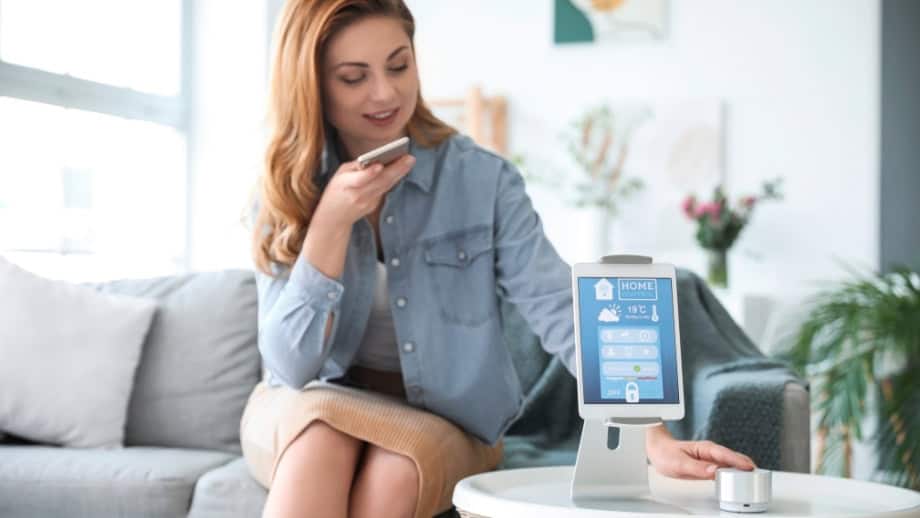
Modern phones hide powerful features behind menus and updates; these are the ones many people miss.
Smartphones have become so routine that many users assume they already know every feature their device offers. But modern phones are built with far more capability than most people ever explore, and a surprising number of tools remain hidden in the settings and overlooked shortcuts. These features can automate daily tasks, improve security, enhance productivity, and even replace gadgets people once carried separately. As manufacturers push out regular updates, phones quietly gain new abilities that often go unnoticed. Understanding some of these lesser-known functions can help users get more value from the device they rely on every day.
1. Measure your sugar level
Many smartphones now support technology that allows users to monitor blood sugar levels. Through compatible health applications, devices can connect wirelessly to continuous glucose monitors (CGMs) or external sensors using Bluetooth. These apps automatically collect and store glucose readings and display trends. Some smartwatches are also equipped to sync this data in real time. By linking a smartphone with a glucose monitoring device, it becomes possible to track blood sugar levels, analyze how meals or activities affect them, and share the information directly with healthcare providers.
2. Scan documents
Modern smartphones have eliminated the need for traditional scanners by integrating document-scanning functions.
On an iPhone, you can scan documents using the built-in Notes app.
Open the app and tap the Attachment button, then tap Scan Documents. Then place your document in view of the camera. If your device is in Auto mode, your document will be scanned automatically. If not, just tap the shutter button to take a picture. When it is done, tap Save or add additional scans to the document.
Users can also add digital signatures before saving or sharing the document. This feature offers an excellent alternative to standalone scanners, turning a phone into an efficient office tool.
3. Work as a level
Many smartphones include a built-in digital level. Users can measure surface alignment without additional tools. On most devices, this feature is integrated into the compass or measurement application and can detect whether a surface is even when the phone is placed flat. The tool functions similarly to a traditional bubble level but provides readings through sensors that measure the device’s orientation. It is particularly useful for small household tasks, such as hanging shelves or aligning frames. While the feature offers convenience, it is not recommended for complex precision jobs, such as a renovation.
4. Mobile hotspot
Smartphones can function as personal internet hotspots, allowing other devices to connect through a shared mobile data connection. This feature is available on most modern phones and can be activated in the settings menu under “Personal Hotspot” or “Mobile Hotspot.” Once enabled, the device broadcasts a secure Wi-Fi signal that other devices can join using a designated password. Hotspot connectivity is particularly valuable for travel or remote work, providing reliable access in areas without public Wi-Fi. Using a personal hotspot also offers improved security compared with open networks.
5. Control your TV and smart devices
Many smartphones are equipped with infrared (IR) emitters or can connect to smart home devices via compatible apps. By syncing the phone with other devices, users can adjust settings, change channels, or power devices on and off directly from the screen. Several universal remote apps also support multiple devices, consolidating control within a single interface. This feature simplifies home automation and provides a practical solution.
6. Identify objects and translate text
Modern smartphones can identify objects and text through image recognition technology integrated into their camera systems. Applications such as Google Lens analyze photos or live images to provide instant information about what appears on the screen. The tool can recognize plants, animals, artworks, and products, linking users to relevant search results or details. It also includes translation capabilities that convert foreign text on signs into the user’s language in real time.
7. Set up emergency shortcuts
Most smartphones include emergency features designed to provide quick access to essential contacts or medical information. On an iPhone, these settings can be configured through the Health and Settings applications.
In the Health app, selecting “Medical ID” allows users to enter medical conditions and designated emergency contacts. Once set up, this information can be accessed from the lock screen by first responders without unlocking the device.
The “Emergency SOS” function can be activated by pressing and holding the side button and a volume button (or rapidly pressing the side button five times, depending on model). This automatically calls local emergency services and sends the device’s location to designated contacts.
Furthermore, on models Apple iPhone 14 and later, the feature known as “Emergency SOS via satellite” enables text-based contact with emergency services even when away from cellular or Wi-Fi coverage. To use it, the device must be outdoors with a clear view of the sky and horizon. When initiated, the phone connects via satellite to relay the user’s location and Medical ID.
Users are advised to test the demo mode for satellite SOS before relying on it, and must ensure their Medical ID and emergency contacts are configured beforehand.
8. Find your lost phone
Most smartphones are equipped with tracking systems that help locate them if lost or stolen. On an iPhone, this can be done through Find My iPhone, a feature available in the Find My app.
Once enabled, the service allows the device’s location to be viewed on a map, even if it is offline. Users can choose to play a sound at full volume to help locate the phone nearby, display a custom message on the screen, or activate Lost Mode, which locks the device and prevents unauthorized access. If the phone has been stolen or cannot be recovered, it can be remotely erased to protect personal data.
To set up Find My iPhone, open the Settings app, select the user’s name, tap Find My, and turn on Find My iPhone and Find My Network for offline tracking. These tools provide an added layer of security and peace of mind, ensuring that a misplaced device can be found or secured quickly.
9. Turn into a gaming console
Modern smartphones are designed to rival traditional consoles in performance and versatility. Many models support advanced gaming via wireless pairing with game controllers. Several devices also support connections to external monitors or televisions through HDMI adapters or wireless casting, providing a larger display for a more immersive experience.
High-end smartphones often include specialized gaming features, such as adjustable refresh rates, thermal management systems, and built-in performance optimizers to maintain stable frame rates during intensive gaming sessions. With the proper setup, a smartphone can serve as a portable yet powerful gaming platform suitable for both casual and competitive play.
10. Measure your heart rate

Several smartphones are equipped with sensors capable of measuring heart rate through the camera or dedicated health modules. When this feature is not available, third-party applications can perform similar measurements using the phone’s flashlight and camera lens to detect changes in fingertip color caused by blood flow. These readings can help monitor fitness activity or observe pulse changes after exercise, and many apps record data over time to identify patterns or trends. While not a substitute for medical-grade equipment, these tools provide a convenient way to track basic cardiovascular information using a standard mobile device.
Smartphones contain a wide range of built-in features that often go unnoticed but can significantly enhance daily convenience. Many of these tools are already available within standard settings, requiring only minimal setup to activate. As smartphone technology continues to advance, these devices have evolved into comprehensive tools capable of handling far more than basic communication.